Capture a chorus idea during commute
From spark to saved project in seconds
Open Suonote, record a melody memo, save lyric lines, and attach quick chords before the idea fades.
Capture, structure, write, and record songs on iPhone with one music app instead of switching between Notes and Voice Memos.
Features
Autoplay runs when idle. Hover or focus the accordion to pause.
Songwriting Flow
Ideas get scattered.
Lyrics in Notes.
Voice memos somewhere else.
Chords in your head.
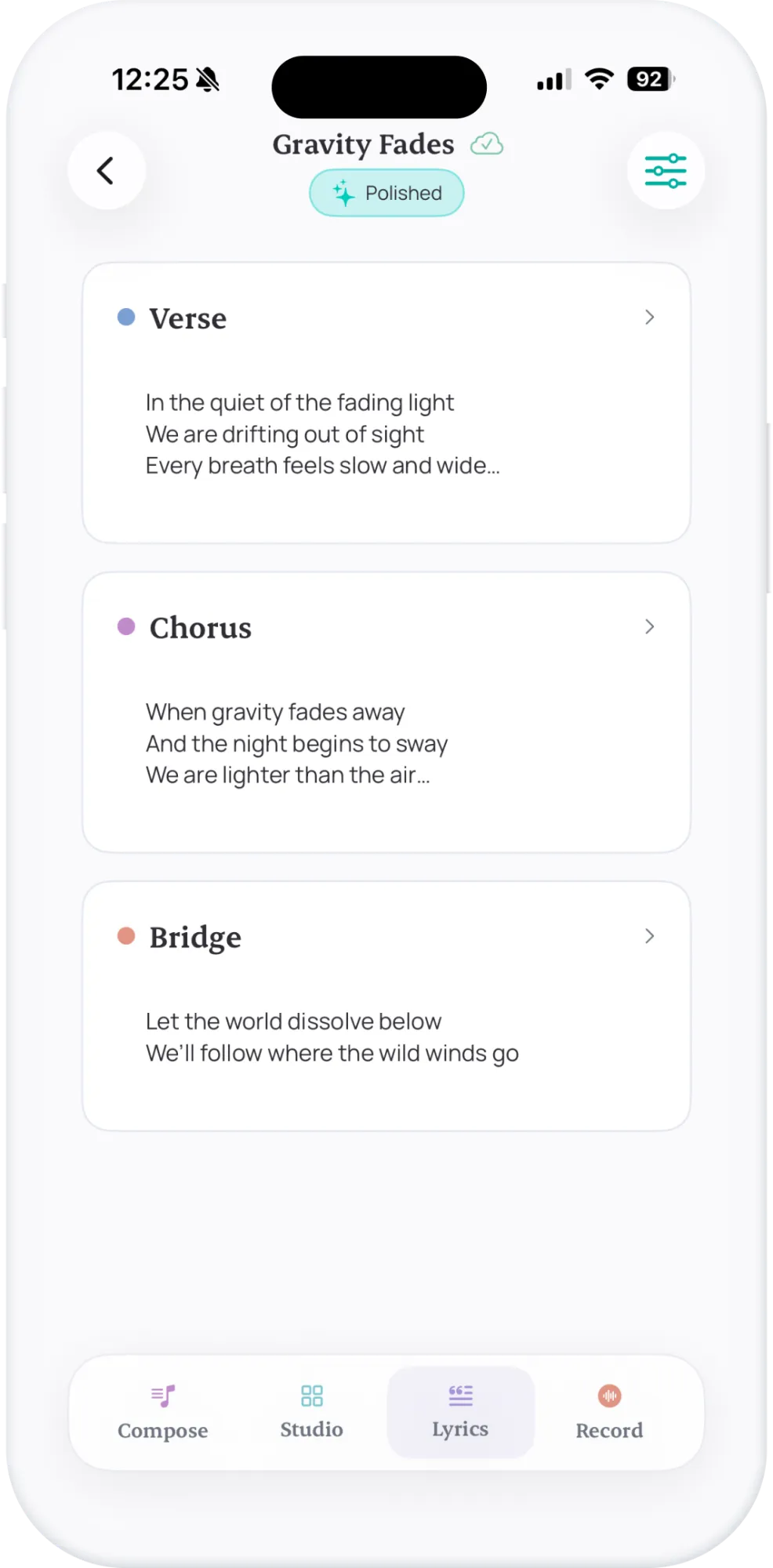
Suonote keeps everything connected.
How It Works
Suonote replaces fragmented note-taking with one continuous composition flow from idea capture to export.
Step 1
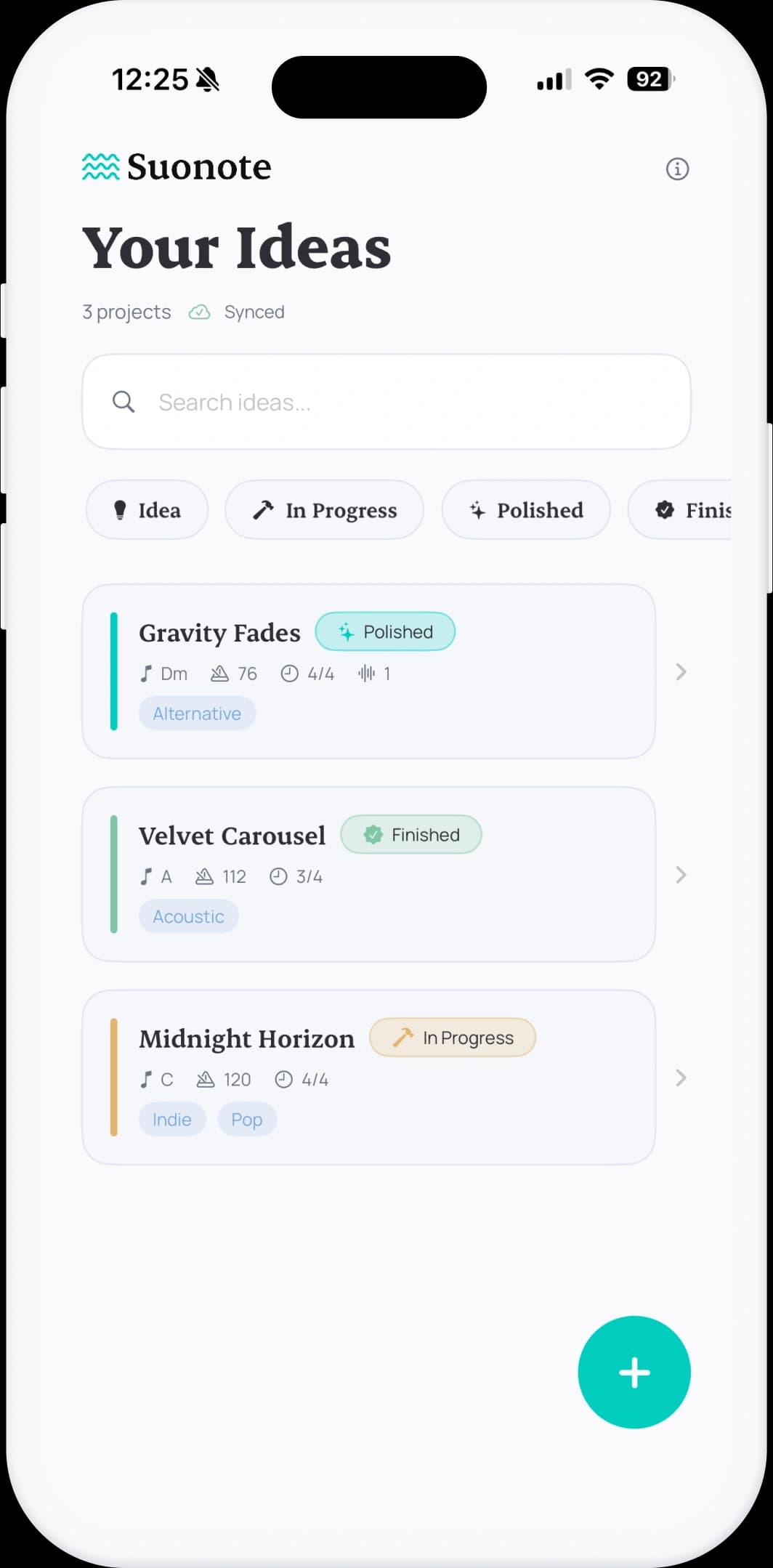
Create a project in seconds and save melody, lyric, or rhythm ideas before they disappear.
Step 2
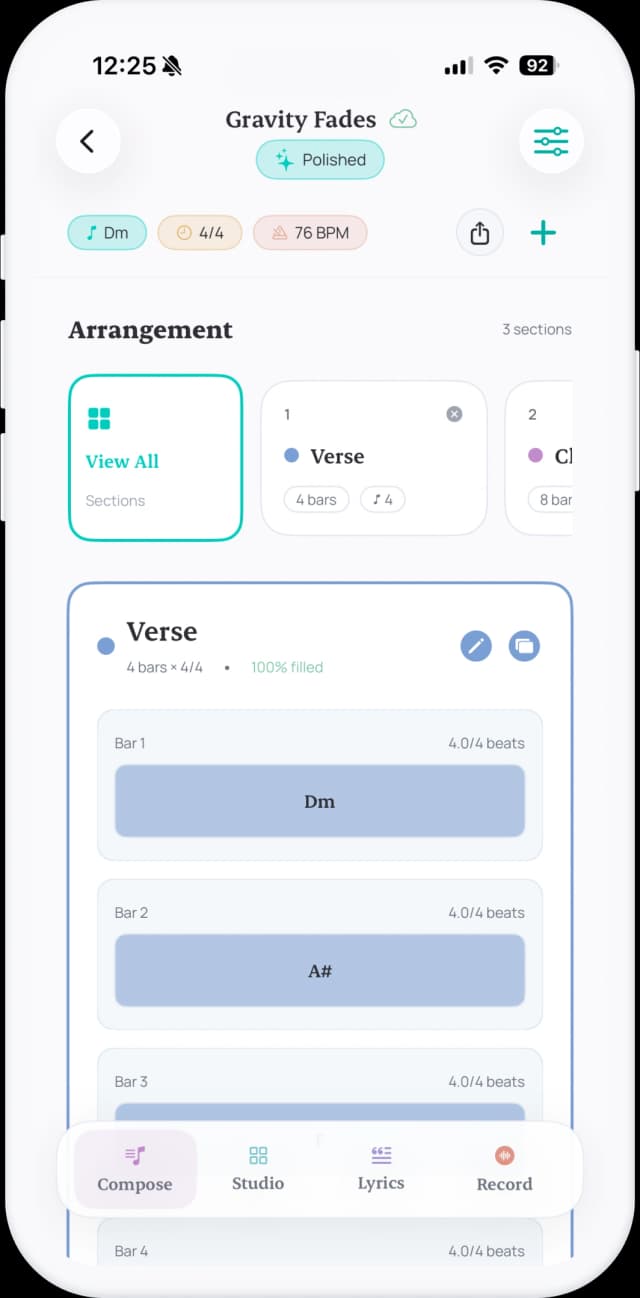
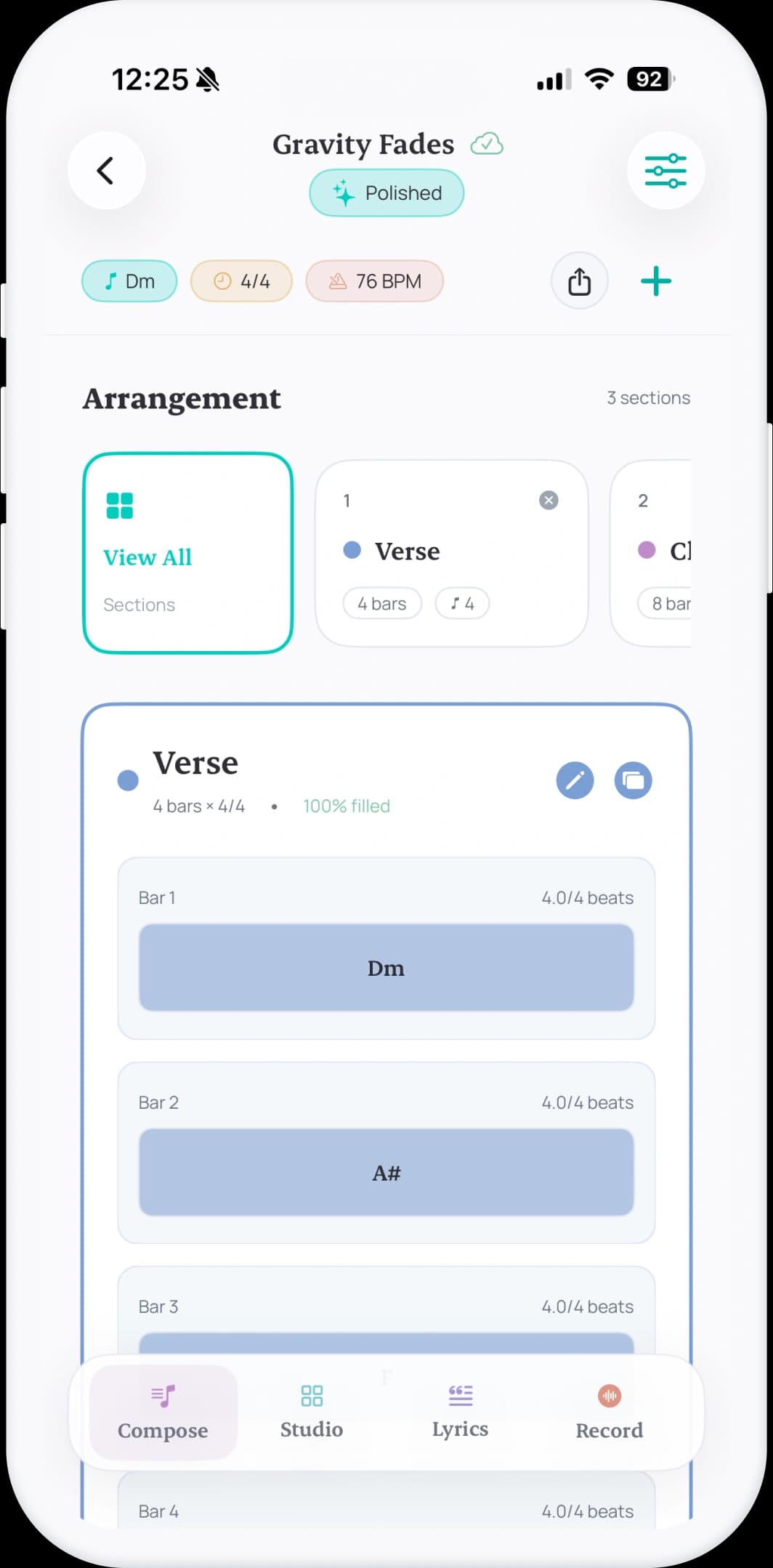
Set key, mode, BPM, and time signature so every decision stays connected to the same song direction.
Step 3
Arrange verse, chorus, and bridge sections with chord timelines by bars and beats.
Step 4
Add lyrics per section and record takes linked to the arrangement for faster iteration.
Step 5
Share MIDI, chord charts, reports, and portable project files for collaboration or DAW sessions.
Studio
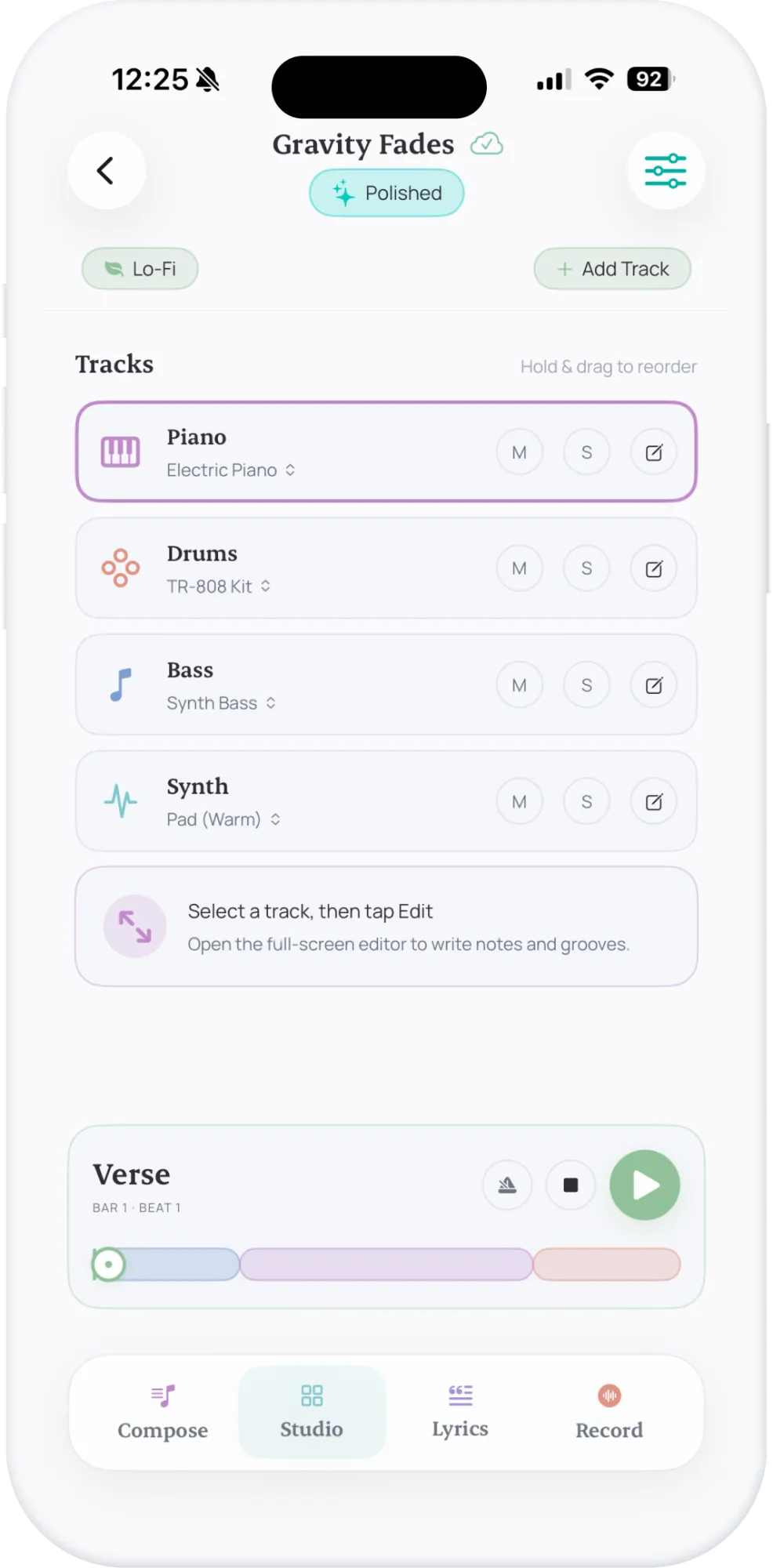
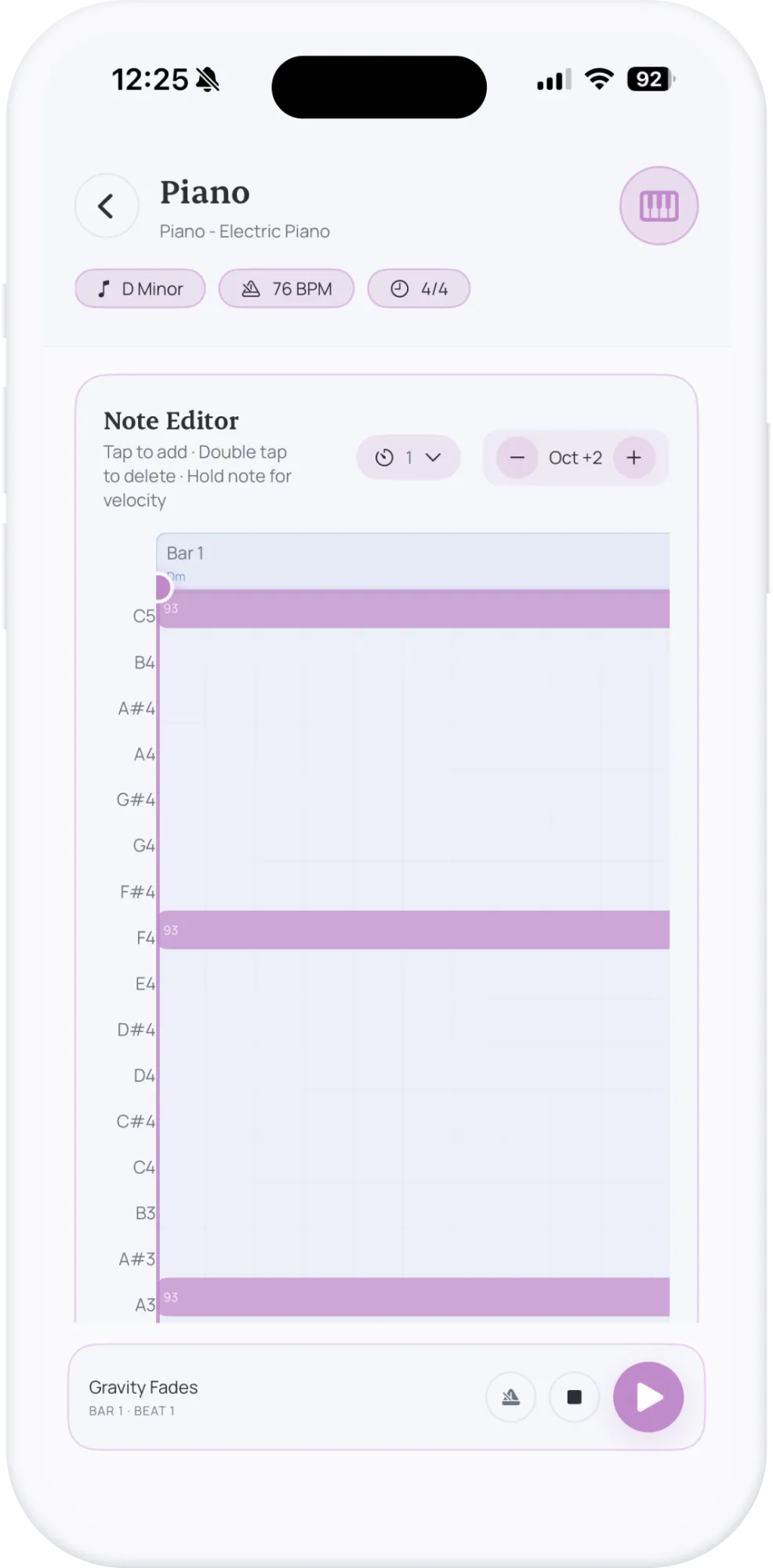
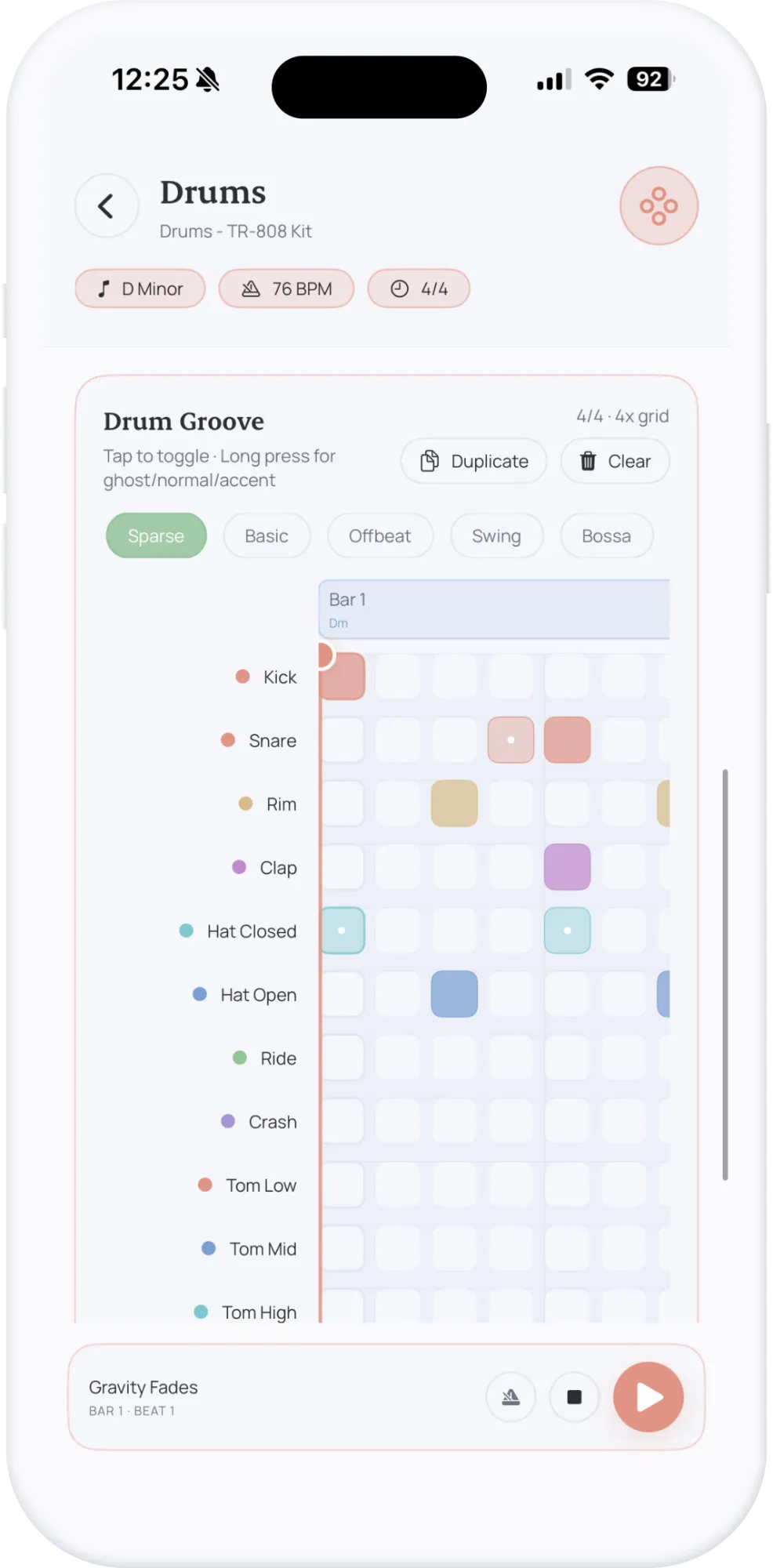
Generate quick instrument drafts based on your chord progression. Explore styles without opening a full DAW.
Use Cases
Designed for daily creative situations where speed and structure matter the most.
From spark to saved project in seconds
Open Suonote, record a melody memo, save lyric lines, and attach quick chords before the idea fades.
Arrive with structure already clear
Arrive with song sections, tempo, chord flow, and vocal reference takes already organized in one project.
Reduce pre-production setup time
Use Studio generation and track edits to build a solid sketch before opening Logic Pro, Ableton, or another DAW.
Keep context connected from day one
Move from scattered notes to a clear arrangement with lyrics, harmonic timeline, and exportable deliverables.
Comparison
Why creators switch from disconnected apps to a project-based songwriting system.
| Workflow Area | Fragmented Tools |  |
|---|---|---|
| Idea capture | Scattered across Notes and Voice Memos | Everything starts in one project workspace |
| Song structure | Arrangement decisions are usually delayed | Sections and timeline are part of early drafting |
| Lyrics + harmony | Lyrics and chords often live in separate places | Lyrics and chord events stay linked per section |
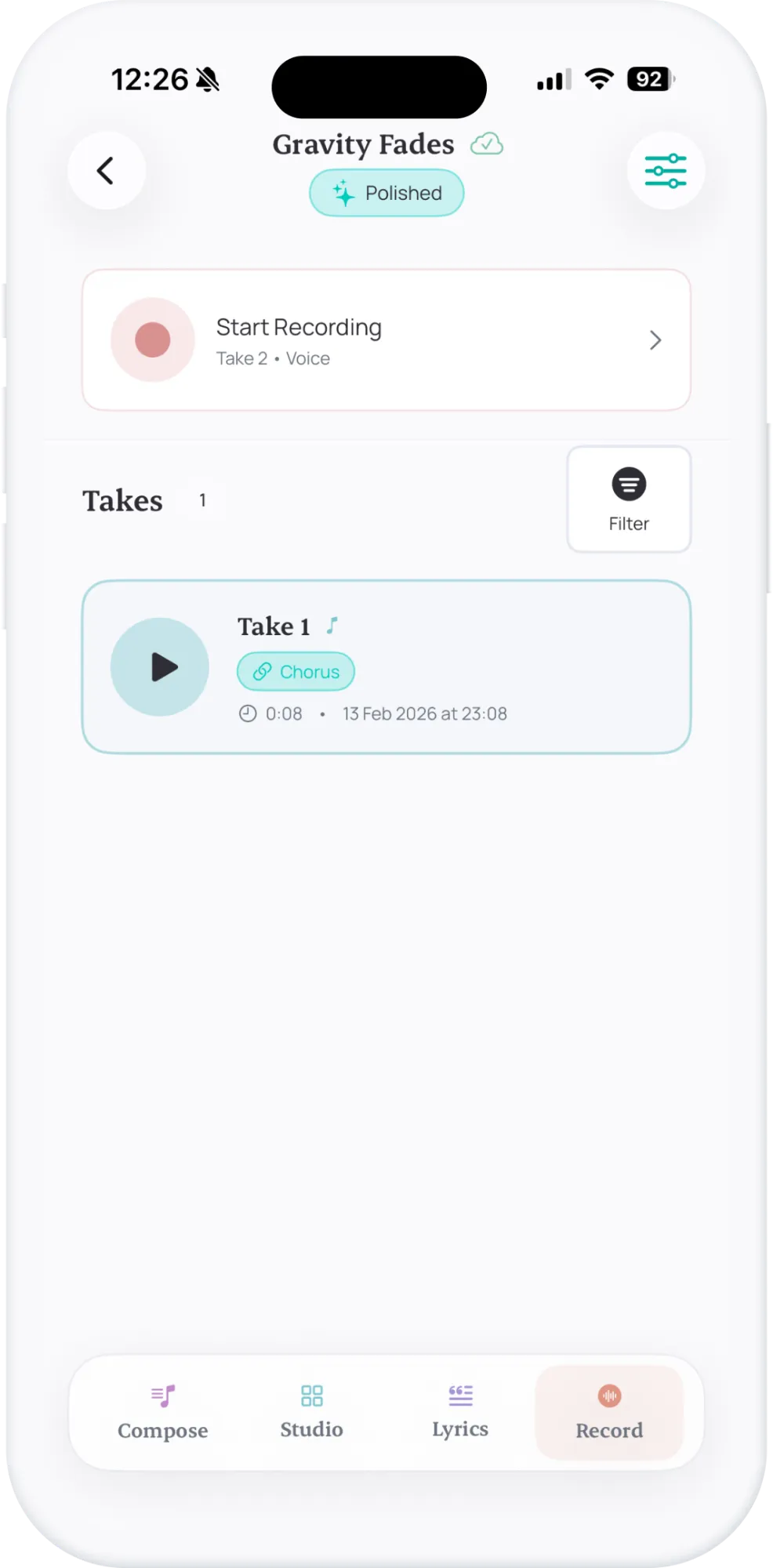
| Recording context | Audio snippets lose arrangement context | Takes can be linked to specific song sections |
| DAW handoff | Manual reconstruction before production | Exportable draft with MIDI, charts, and project data |
Export & Compatibility
Suonote helps you leave every writing session with assets ready for collaboration, production, and archiving.
Use Suonote as your songwriting source of truth, then hand off clean material to bandmates, producers, or your full DAW session.
Who It's For
From solo writers to collaborative teams, Suonote supports fast capture and structured composition.
Capture lyrics, chord movement, and arrangement ideas in one place while writing.
Receive cleaner draft context before opening a DAW and shorten pre-production time.
Track section-level melodic and lyrical concepts with reference takes per song part.
Build complete demo-ready sketches without managing multiple disconnected apps.
Share organized draft outputs and align faster on structure, tempo, and harmony.
Practice songwriting with explicit key, mode, and progression context on every project.
Suonote is built for iPhone songwriting: capture an idea in seconds, develop sections and harmony, then export a draft ready for production or collaboration.
Record a melody or write the first lyric.
Add sections, chords, and harmony.
Create a draft and export MIDI or chord charts.
Created by
A passionate front-end developer and creative technologist with over 10 years of experience crafting exceptional digital experiences. I combine code, design, and innovation to bring ideas to life.
10+
Years Experience
Building digital products
50+
Projects Completed
Across various technologies
100%
Client Satisfaction
Quality and commitment
24/7
Creative Momentum
Always refining ideas
FAQ
Answers about Suonote features, iOS workflow, exports, sync, and privacy.
No. Suonote focuses on songwriting workflow: capture ideas, organize sections, write lyrics, record takes, and prepare structured drafts before moving into a full DAW if needed.
Suonote is built for songwriters, producers, topliners, and musicians who want to go from first spark to a shareable draft without fragmented tools.
Suonote is a native iOS app designed for iPhone and iPad workflows, with support targeted at iOS 17 and later for smooth performance and sync.
Each project can include title and tags, key and BPM, section arrangement, chord timelines, lyrics by section, recordings, and optional Studio tracks.
Yes. You can manage projects with statuses like Idea, In Progress, Polished, Finished, and Archived, plus tags and search across titles and lyrics.
Yes. You can record takes with metronome and count-in, classify them by type, favorite important takes, and link recordings to specific sections.
Studio lets you generate and edit quick instrument drafts, adjust mix and FX controls, edit notes in piano-roll and drum views, and iterate without leaving the project.
Yes. Suonote supports exports such as MIDI, chord charts, PDF-ready material, text reports, and portable project files for handoff and collaboration.
Yes. Optional private iCloud sync is available through your own iCloud account, keeping projects aligned across compatible devices.
Yes. Suonote is local-first, so core songwriting and recording flows work without an active internet connection.
Suonote is privacy-first: no ads, no third-party trackers, and no external analytics SDKs. Your music data remains under your control.
Yes. The app supports project deep links and App Intents, so you can trigger fast idea capture flows from Siri and Shortcuts.
Yes. Suonote supports major, minor, modal, harmonic and melodic minor variants, plus chord-quality options for richer progression drafting.
Yes. Suonote is designed as a pre-production songwriting layer so you can arrive in your DAW with structure, chords, lyrics, and reference takes already organized.
No. If you enable sync, data stays in your private iCloud container rather than in a public shared database.
Keep chords, lyrics, and recordings together
from the first spark to a structured draft.