

Capture a chorus idea during commute
From spark to saved project in seconds
Open Suonote, record a melody memo, save lyric lines, and attach quick chords before the idea fades.
Music & Songwriting App for iPhone
Suonote is the iPhone songwriting app that keeps chords, lyrics, and takes together in one notebook, and plays your song back with a real-sounding band.
Features
From the first spark to a band playing it back: one notebook for the whole song.
Songwriting Flow
Suonote replaces a stack of music apps on your iPhone with a single, focused songwriting workspace.
Ideas get scattered.
Lyrics in Notes.
Voice memos somewhere else.
Chords in your head.
The Suonote music app keeps everything connected.
How It Works
Suonote replaces fragmented note-taking with one continuous composition flow from idea capture to export.
Step 1
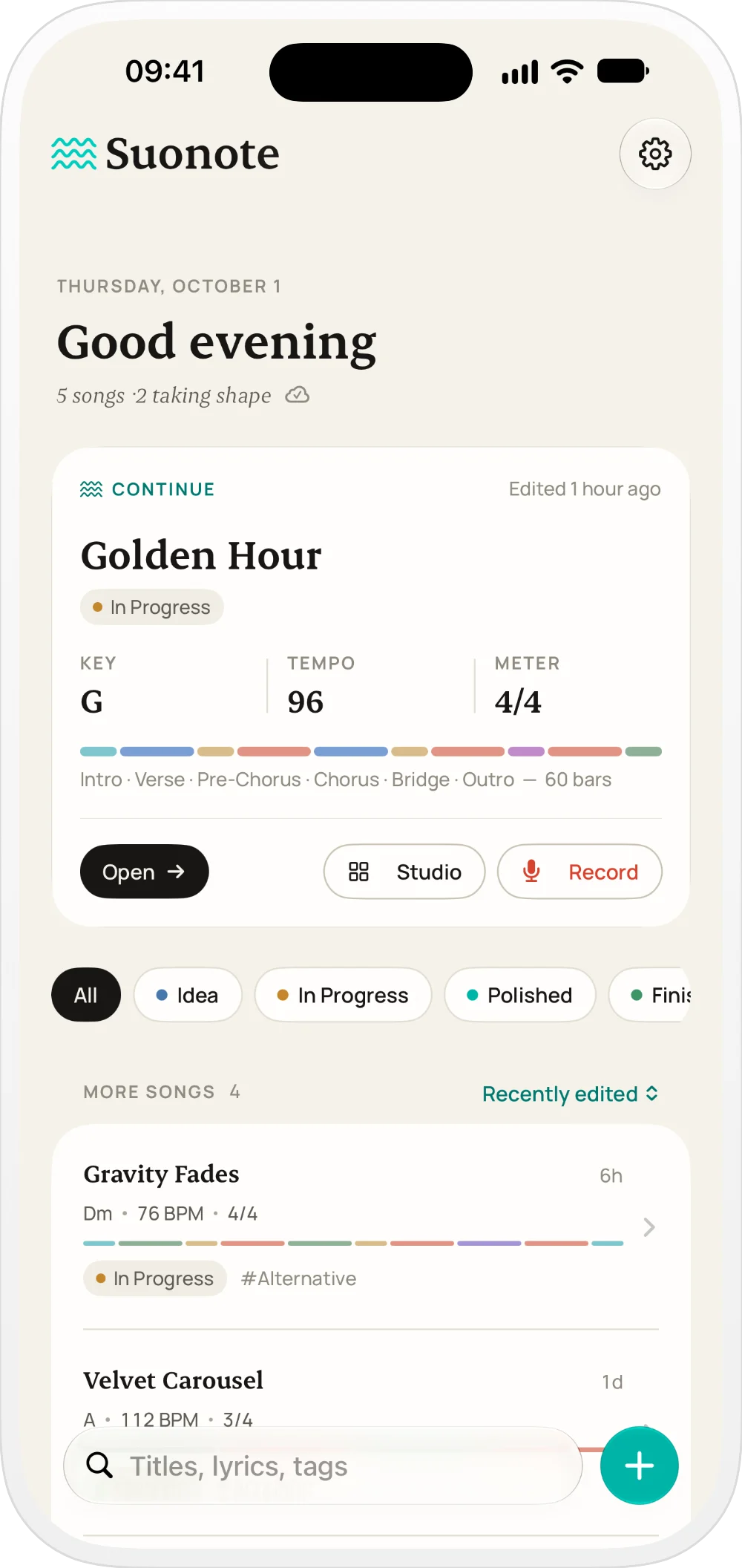
Create a project in seconds and save melody, lyric, or rhythm ideas before they disappear.
Step 2
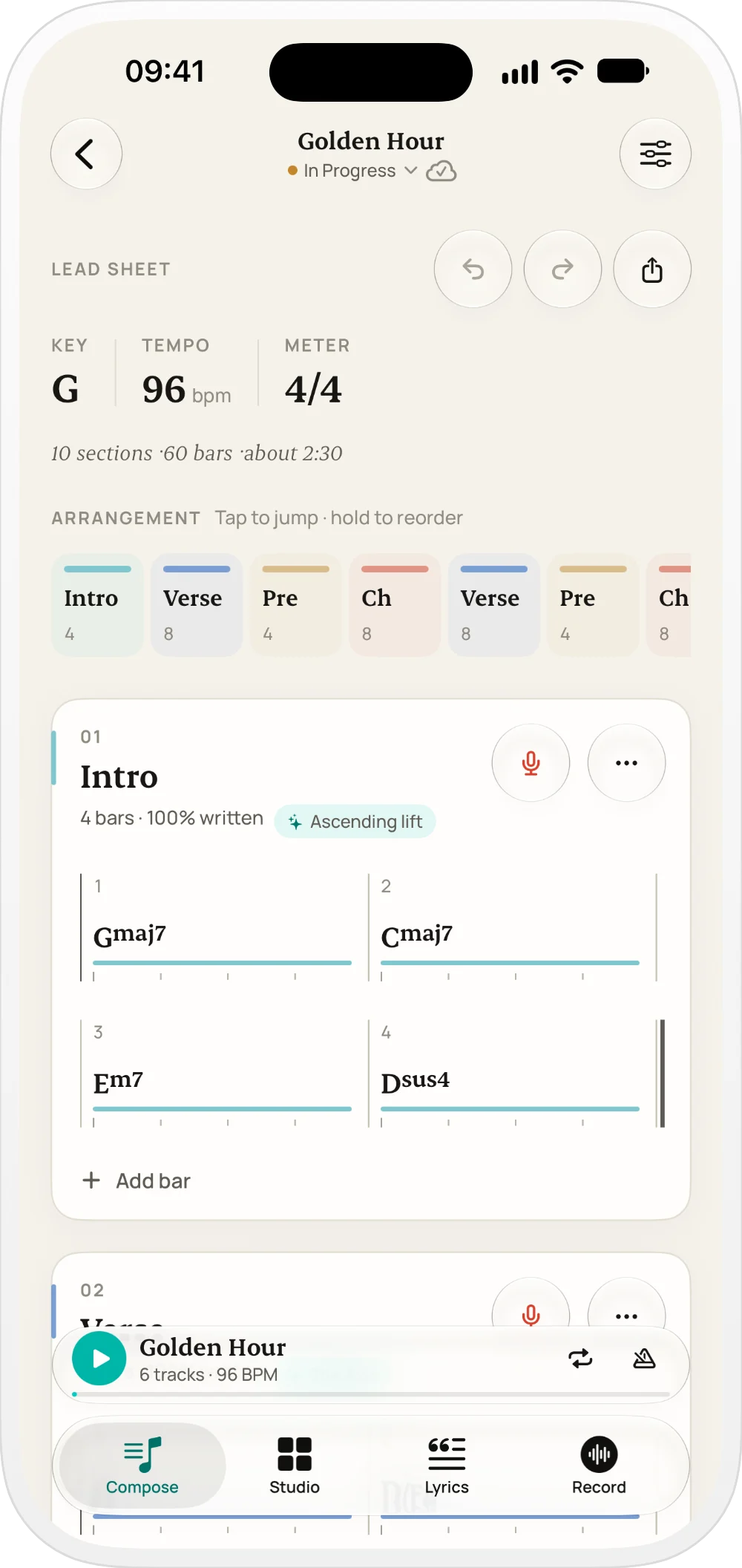
Set key, mode, BPM, and time signature so every decision stays connected to the same song direction.
Step 3
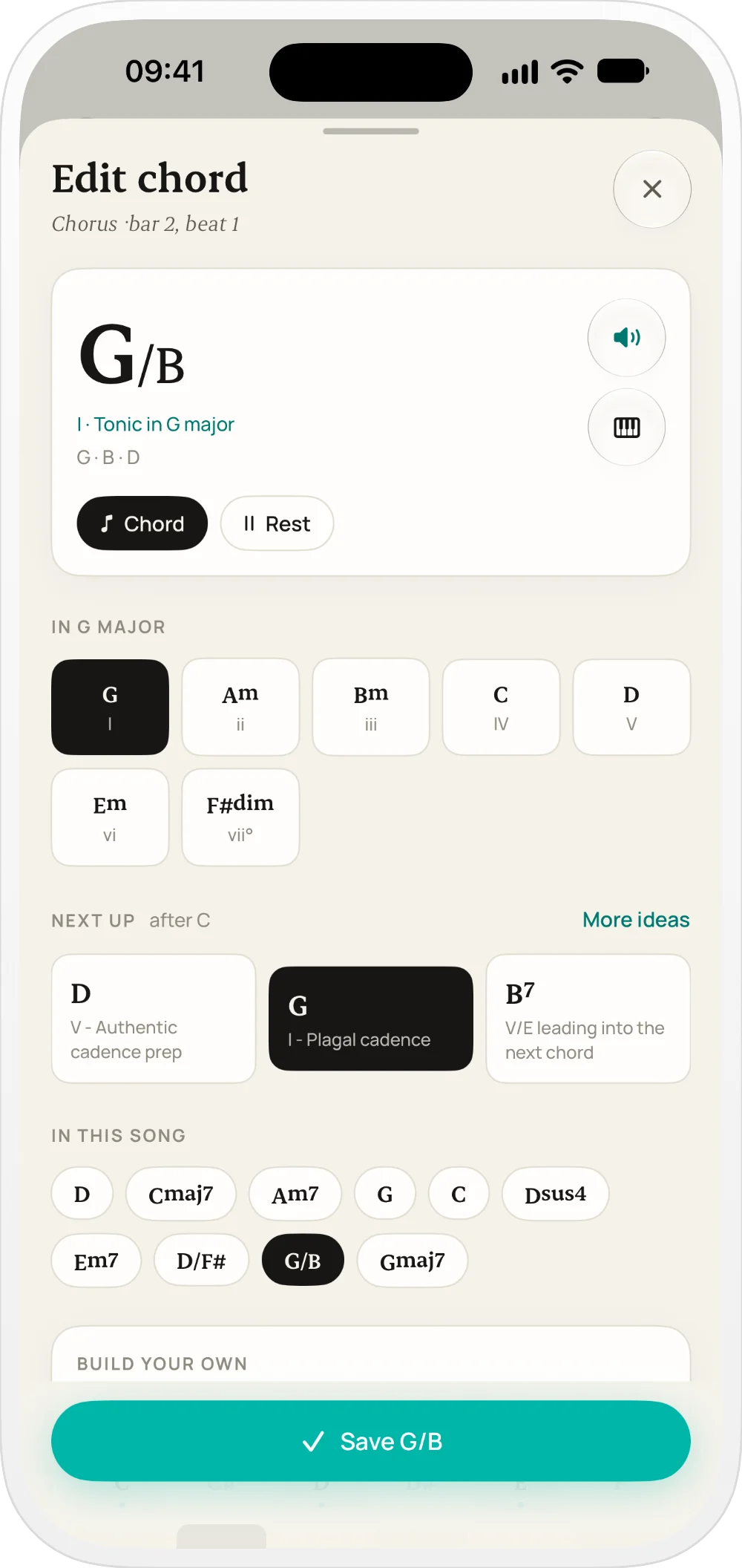
Arrange verse, chorus, and bridge sections with chord timelines by bars and beats.
Step 4
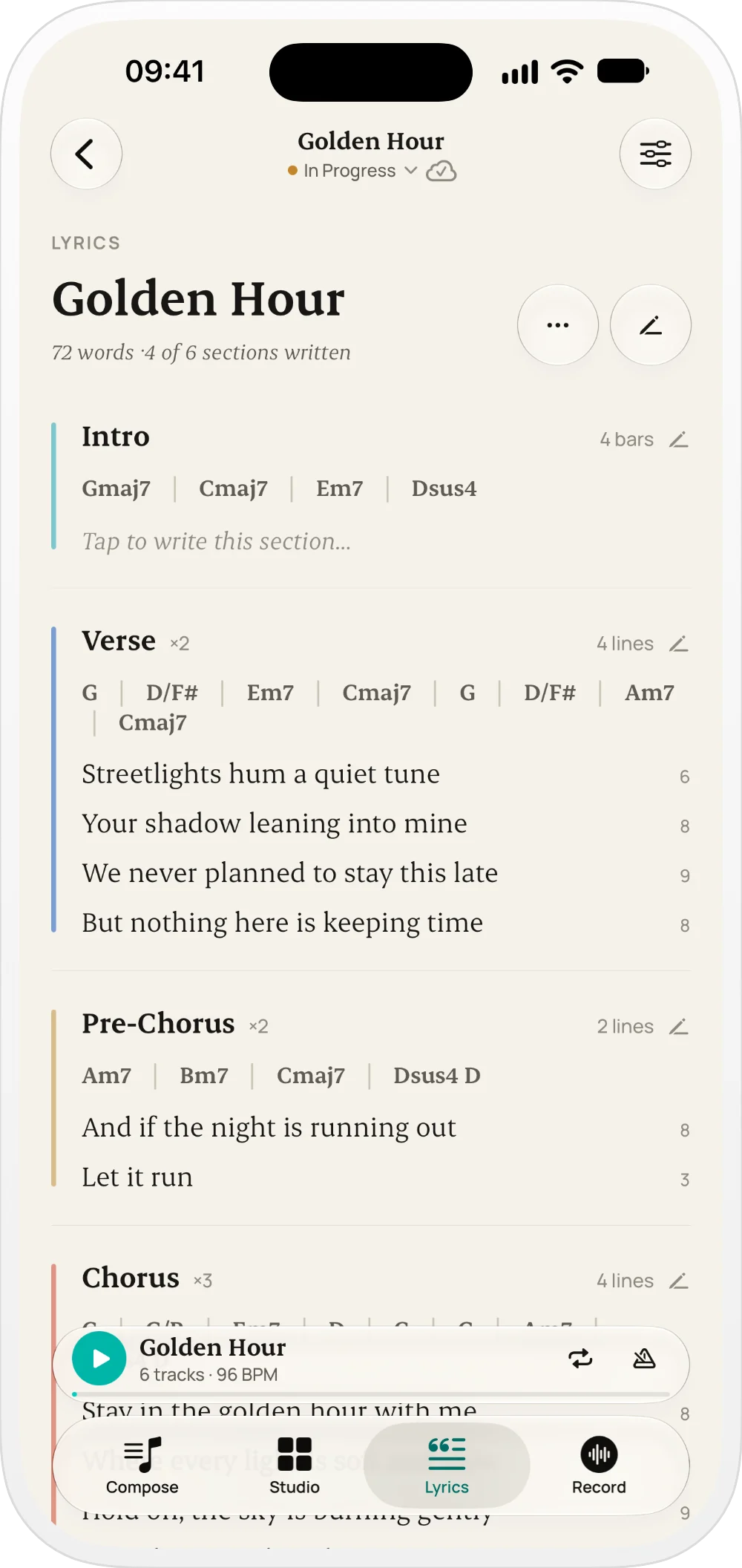
Add lyrics per section and record takes linked to the arrangement for faster iteration.
Step 5
Hear it with the Studio band, then share an audio mix, MIDI, chord charts or project files.
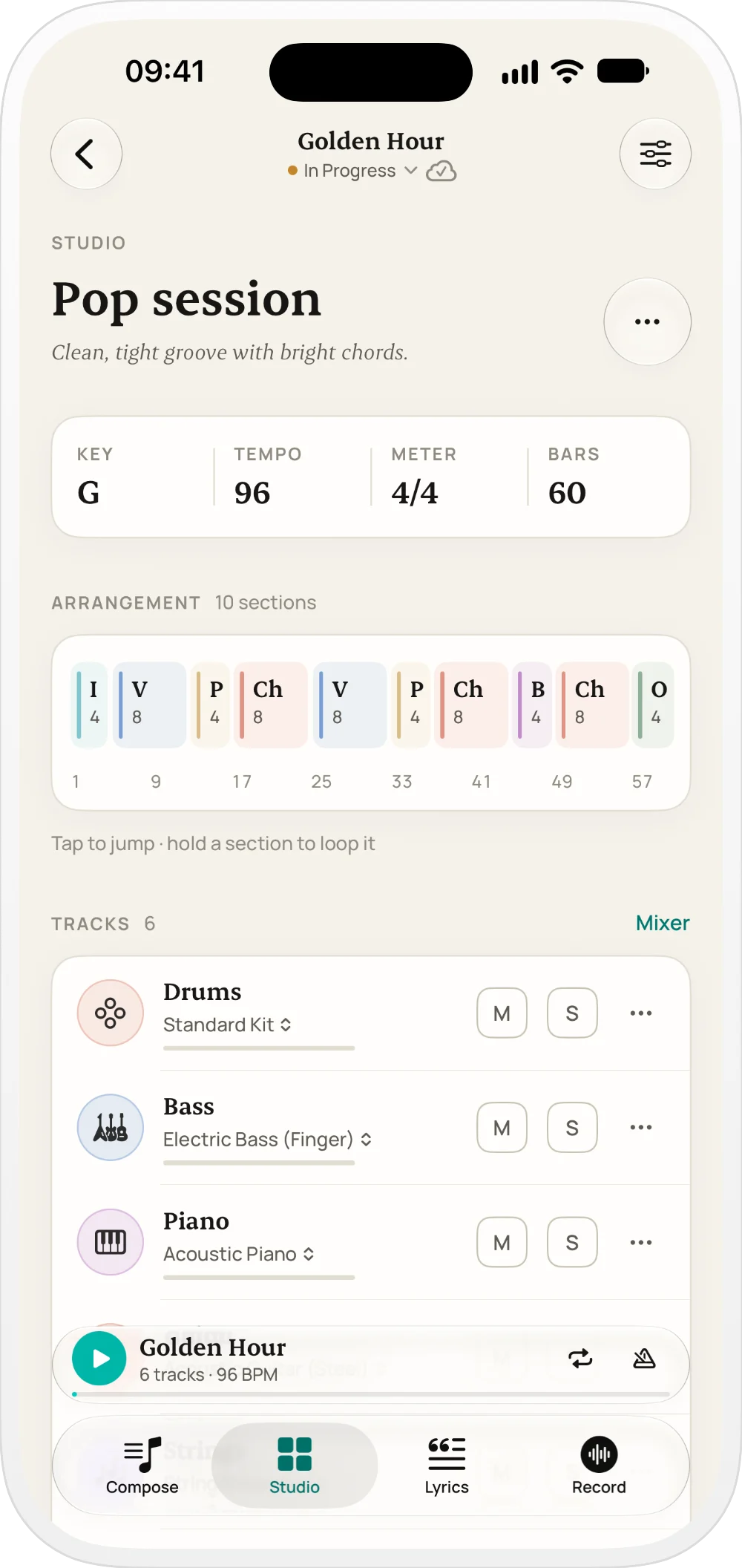
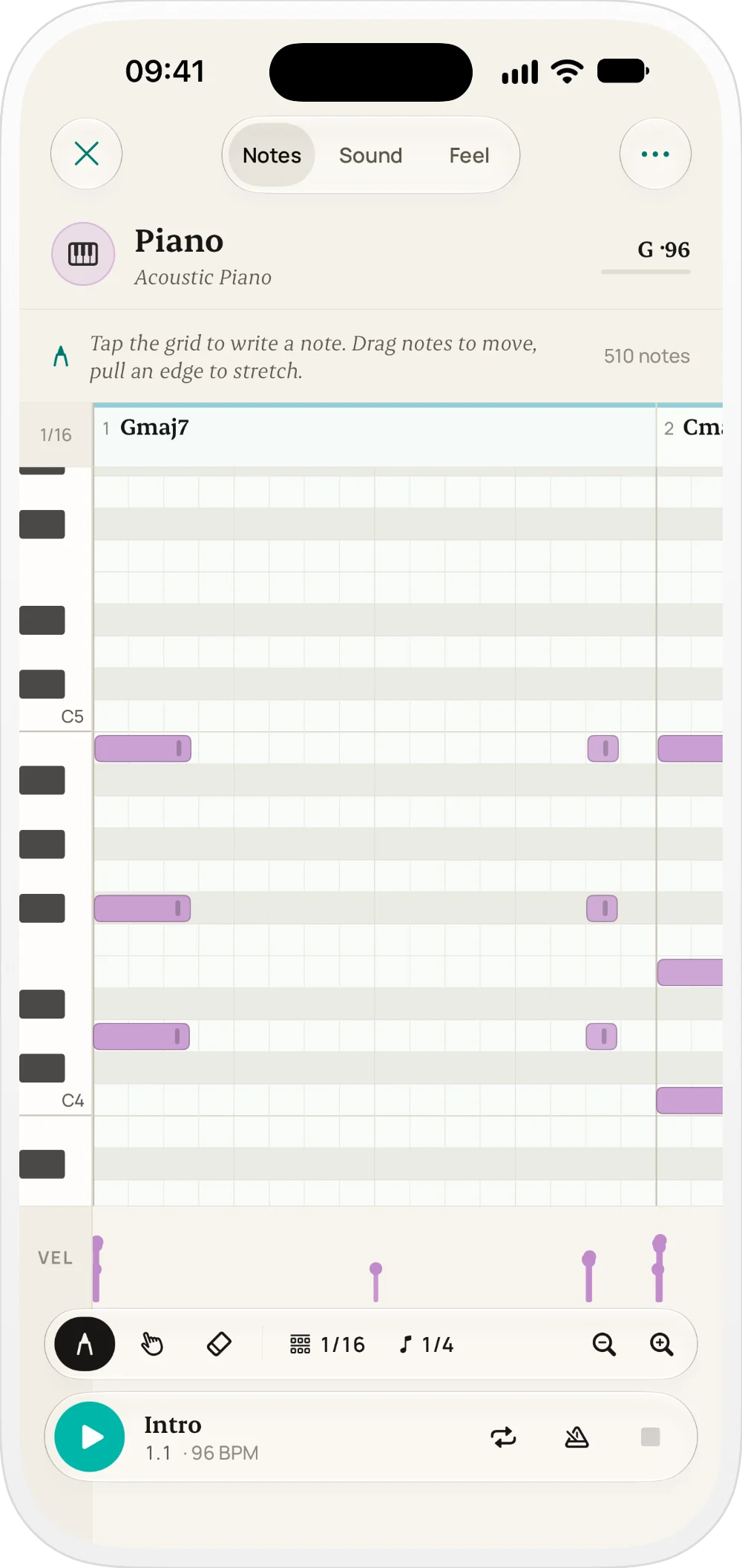
Studio · New in 2.0
Pick a style and Suonote arranges your chords for drums, bass, keys, guitar and strings. Every part follows your song's sections, so it sounds like a band, not a loop.
New in 2.0
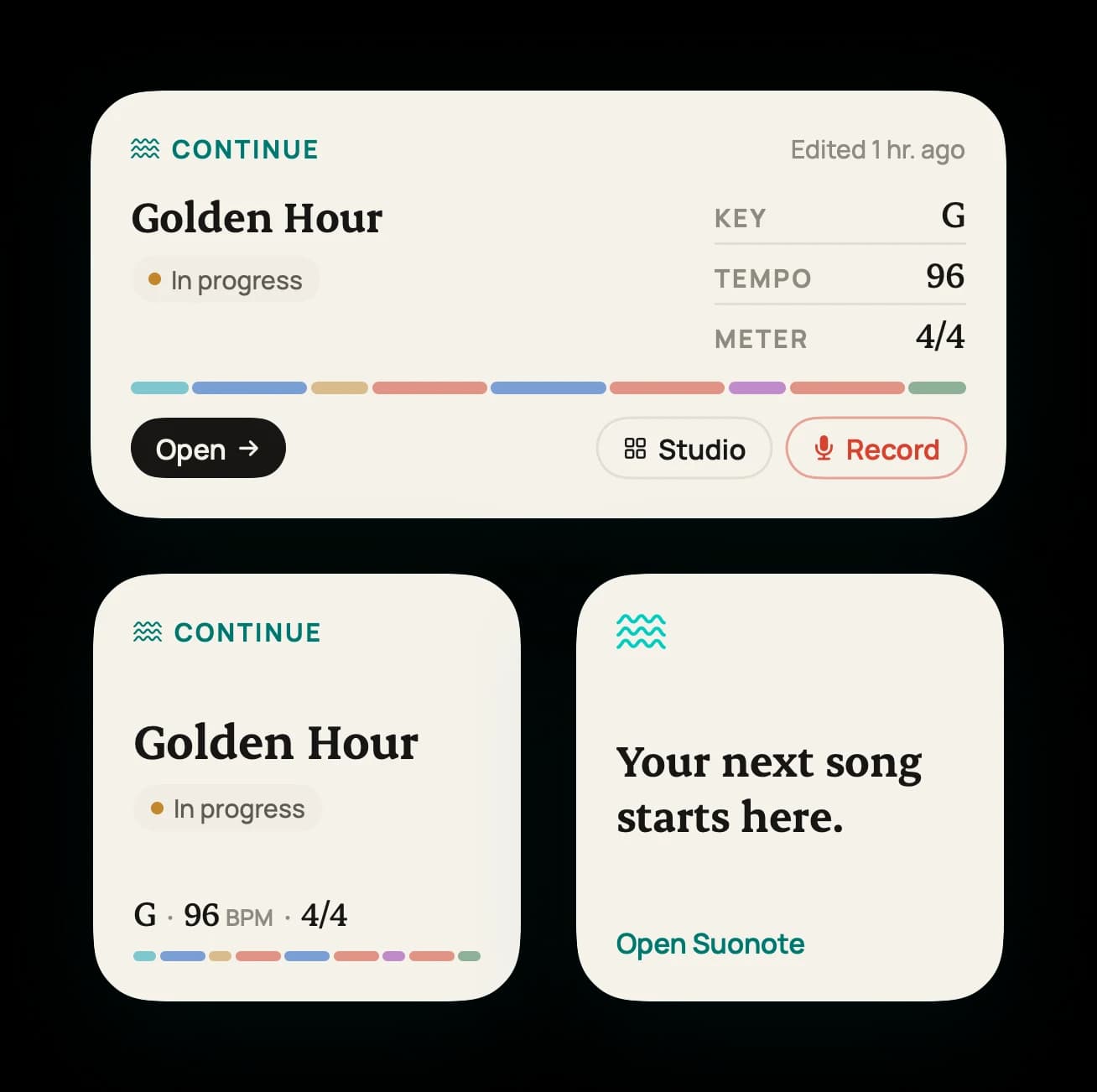
Your song is one glance away. Suonote's widgets show where you left off and take you straight back in.
Use Cases
Designed for daily creative situations where speed and structure matter the most.
From spark to saved project in seconds
Open Suonote, record a melody memo, save lyric lines, and attach quick chords before the idea fades.
Arrive with structure already clear
Arrive with song sections, tempo, chord flow, and vocal reference takes already organized in one project.
Reduce pre-production setup time
Let the Studio band play your chords, tweak the parts, and export a mix or MIDI before opening Logic Pro, Ableton, or another DAW.
Keep context connected from day one
Move from scattered notes to a clear arrangement with lyrics, harmonic timeline, and exportable deliverables.
Comparison
Why creators switch from disconnected apps to a project-based songwriting system.
| Workflow Area | Fragmented Tools |  |
|---|---|---|
| Idea capture | Scattered across Notes and Voice Memos | Everything starts in one project workspace |
| Song structure | Arrangement decisions are usually delayed | Sections and timeline are part of early drafting |
| Lyrics + harmony | Lyrics and chords often live in separate places | Lyrics and chord events stay linked per section |
| Recording context | Audio snippets lose arrangement context | Takes can be linked to specific song sections |
| Hearing the song | Needs a DAW, loops or a band in the room | The Studio band plays your chords, section by section |
| DAW handoff | Manual reconstruction before production | Export an audio mix, MIDI, charts, and project files |
Export & Compatibility
Leave every writing session with something you can share: a mix, a chart, a MIDI file or the whole project.
Use Suonote as your songwriting source of truth, then hand off clean material to bandmates, producers, or your full DAW session.
Who It's For
From solo writers to collaborative teams, Suonote supports fast capture and structured composition.
Capture lyrics, chord movement, and arrangement ideas in one place while writing.
Receive cleaner draft context before opening a DAW and shorten pre-production time.
Track section-level melodic and lyrical concepts with reference takes per song part.
Build complete demo-ready sketches without managing multiple disconnected apps.
Share organized draft outputs and align faster on structure, tempo, and harmony.
Practice songwriting with explicit key, mode, and progression context on every project.
Suonote is built for iPhone songwriting: capture an idea in seconds, develop sections and harmony, then export a draft ready for production or collaboration.
Record a melody or write the first lyric.
Add sections, chords, and harmony.
Hear it with the Studio band, then export a mix, MIDI or chord charts.
About Suonote
Suonote is an independent songwriting app for iPhone built by Martin Poblet, a creative developer with over 10 years of experience designing digital products. The Suonote app focuses on one job: helping you turn a spark into a structured song without leaving your phone.
iOS 26+
Built for iPhone
Native, in English and Spanish
0 ads
Privacy-first
No trackers, no analytics SDKs
Local
Local-first storage
Optional private iCloud sync
Studio
A band in your pocket
Drums, bass, keys and more
FAQ
Answers about Suonote features, iOS workflow, exports, sync, and privacy.
No. Suonote focuses on songwriting workflow: capture ideas, organize sections, write lyrics, record takes, and prepare structured drafts before moving into a full DAW if needed.
Suonote is built for songwriters, producers, topliners, and musicians who want to go from first spark to a shareable draft without fragmented tools.
Suonote is a native iPhone app and requires iOS 26 or later.
Suonote 2.0 is a full redesign with a new Studio: a drummer with real grooves and fills, bass lines that follow the kick, arrangements that grow from verse to chorus, per-track effects and audio mix export. It also adds Home and Lock Screen widgets and a complete Spanish translation.
Yes. Since version 2.0 the whole app is available in English and Spanish, and it follows your iPhone's language.
Each project can include title and tags, key and BPM, section arrangement, chord timelines, lyrics by section, recordings, and optional Studio tracks.
Yes. You can manage projects with statuses like Idea, In Progress, Polished, Finished, and Archived, plus tags and search across titles and lyrics.
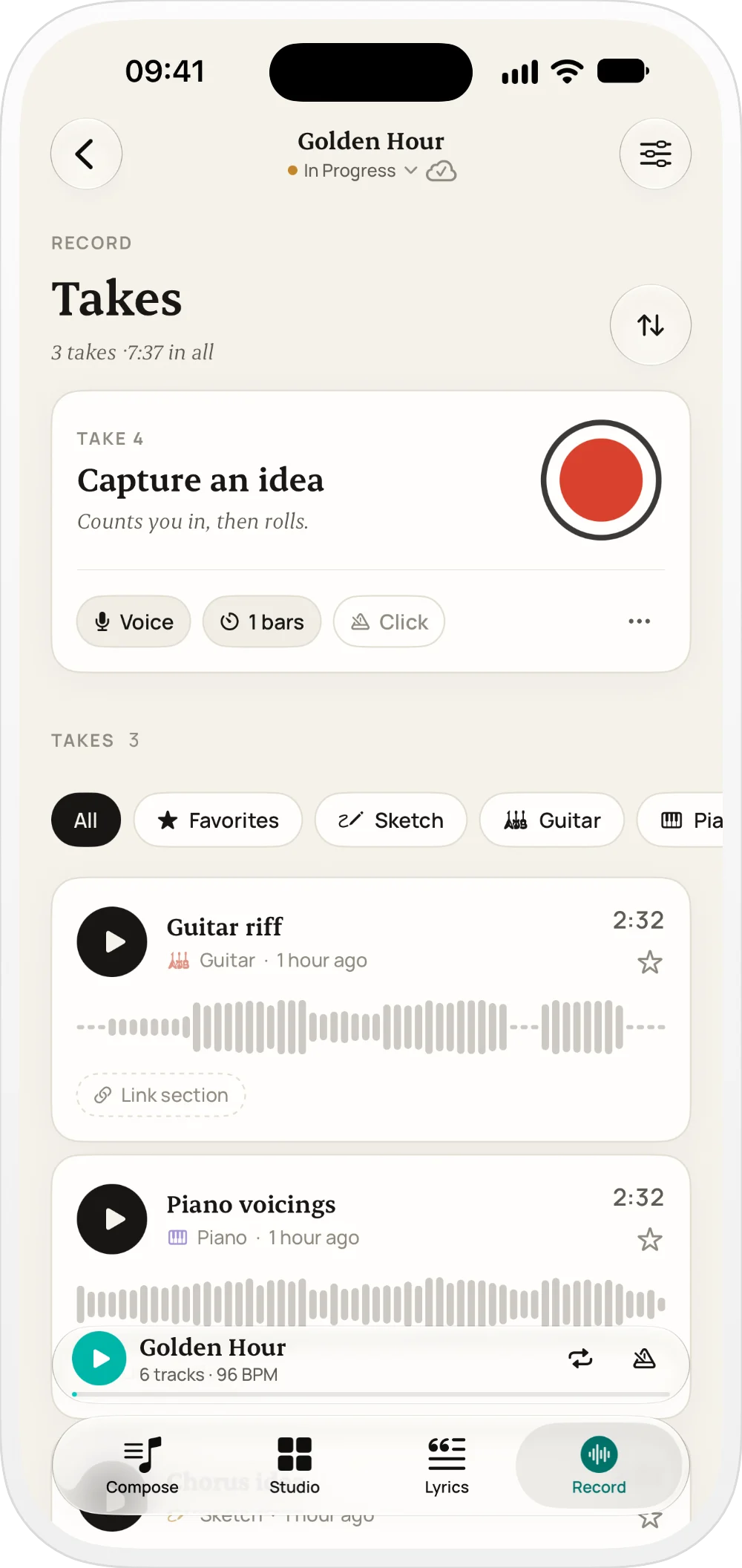
Yes. You can record takes with metronome and count-in, classify them by type, favorite important takes, and link recordings to specific sections.
Studio turns your chords into a band. Pick a style and Suonote writes drums, bass, keys and more that follow your sections, getting quieter in the verses and bigger in the choruses. You can edit every note in the piano-roll and drum editors, shape each track with reverb, delay, EQ and compression, and export the mix as audio or MIDI.
Yes. You can export the Studio mix as audio (M4A), MIDI with chords, bass and drums, PDF chord charts, lyric sheets, song notes and portable .suonote project files.
Yes. Optional private iCloud sync is available through your own iCloud account, keeping projects aligned across compatible devices.
Yes. Suonote is local-first, so core songwriting and recording flows work without an active internet connection.
Suonote is privacy-first: no ads, no third-party trackers, and no external analytics SDKs. Your music data remains under your control.
Yes. Home Screen and Lock Screen widgets show the song you're working on and open it, its Studio or Record in one tap. App Intents let you start quick idea capture from Siri and Shortcuts.
Yes. Suonote supports major, minor, modal, harmonic and melodic minor variants, plus chord-quality options for richer progression drafting.
Yes. Suonote is designed as a pre-production songwriting layer so you can arrive in your DAW with structure, chords, lyrics, and reference takes already organized.
No. If you enable sync, data stays in your private iCloud container rather than in a public shared database.
Keep chords, lyrics, and takes together,
then hear your song played by a band.